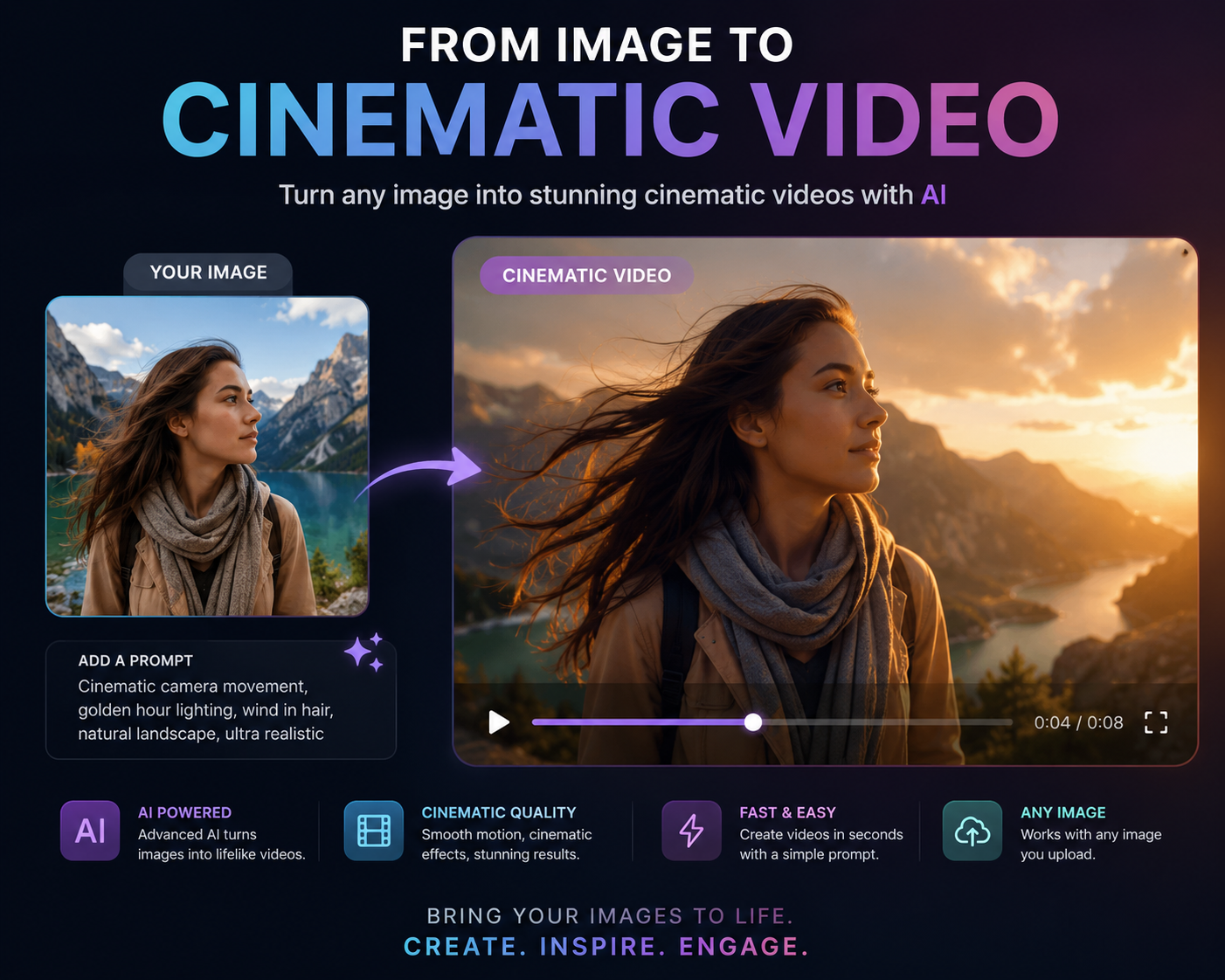
From Image to Cinematic Video
manav garg
@manavgarg3454
Many content creators struggle to convert images into engaging videos, often lacking the tools and knowledge to produce high-quality visuals. This problem limits their ability to create compelling content that resonates with audiences.
This solution is designed for content creators and digital marketers looking to leverage AI technology to enhance their video production capabilities. By following this structured workflow, users can efficiently transform static images into dynamic, cinematic videos that captivate viewers and elevate their content strategy.
Why this workflow works
This workflow begins with 'Mastering Sora 2' to create a cinematic AI video from a text prompt, effectively setting the foundation for video generation. The next step utilizes 'Cinematic Image Framing Guide for Professionals' to ensure that the images used in the video are framed correctly, which enhances the overall quality of the video. Lastly, 'Cinematic Backlight Portrait Creation' is employed to refine the visuals with striking portraits, contributing to a polished final video product.
Workflow
Generate Cinematic AI Video
ImageThis step lays the groundwork by crafting a cinematic video using a structured text prompt, which will be the backbone of your video content.

Mastering Sora 2: Create Cinematic AI Videos from Text
This prompt data enables you to confidently generate cinematic, share-ready AI-video content using Sora 2 by OpenAI. By following the structured framework, you’ll be able to craft rich text prompts that steer visuals, motion, audio and style — unlocking the power of next-gen video generation.
Frame Images Professionally
ImageBy ensuring that the images are framed correctly, this step enhances the visual quality of the video, making it more engaging and professional.
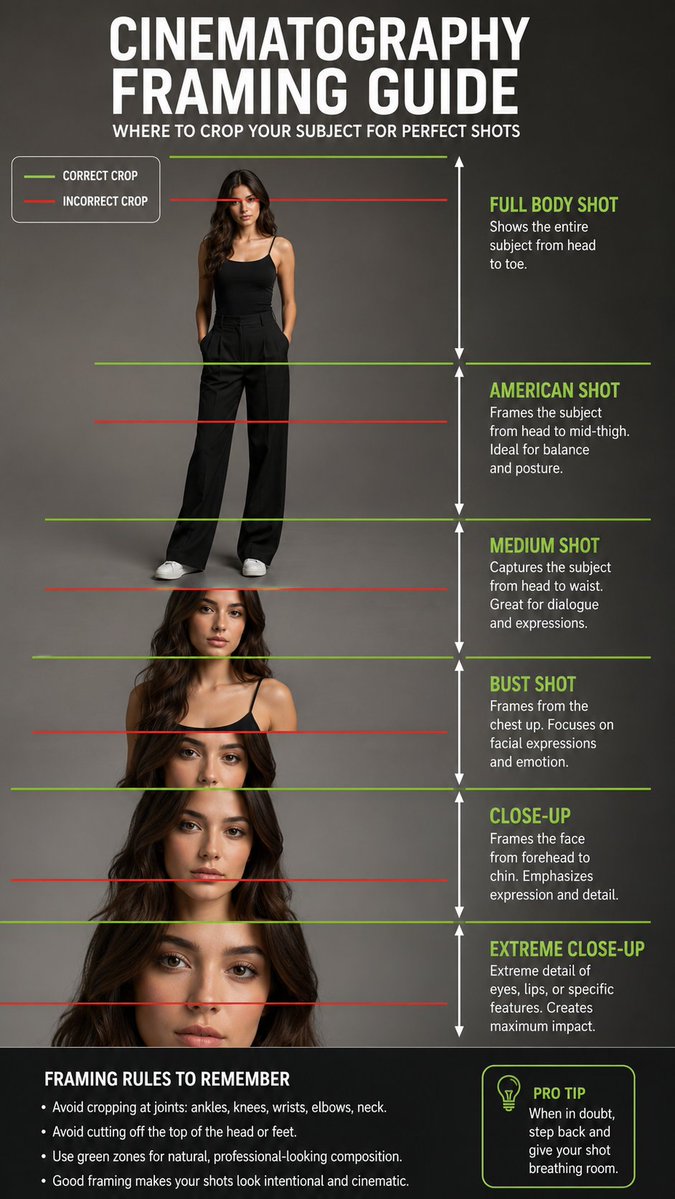
Cinematic Image Framing Guide for Professionals
Create a detailed guide on AI image framing with clear crop points for stunning visuals.
Create Dramatic Portraits
ImageThis step adds depth to the video by incorporating stunning cinematic portraits, ensuring a visually striking and memorable final product.
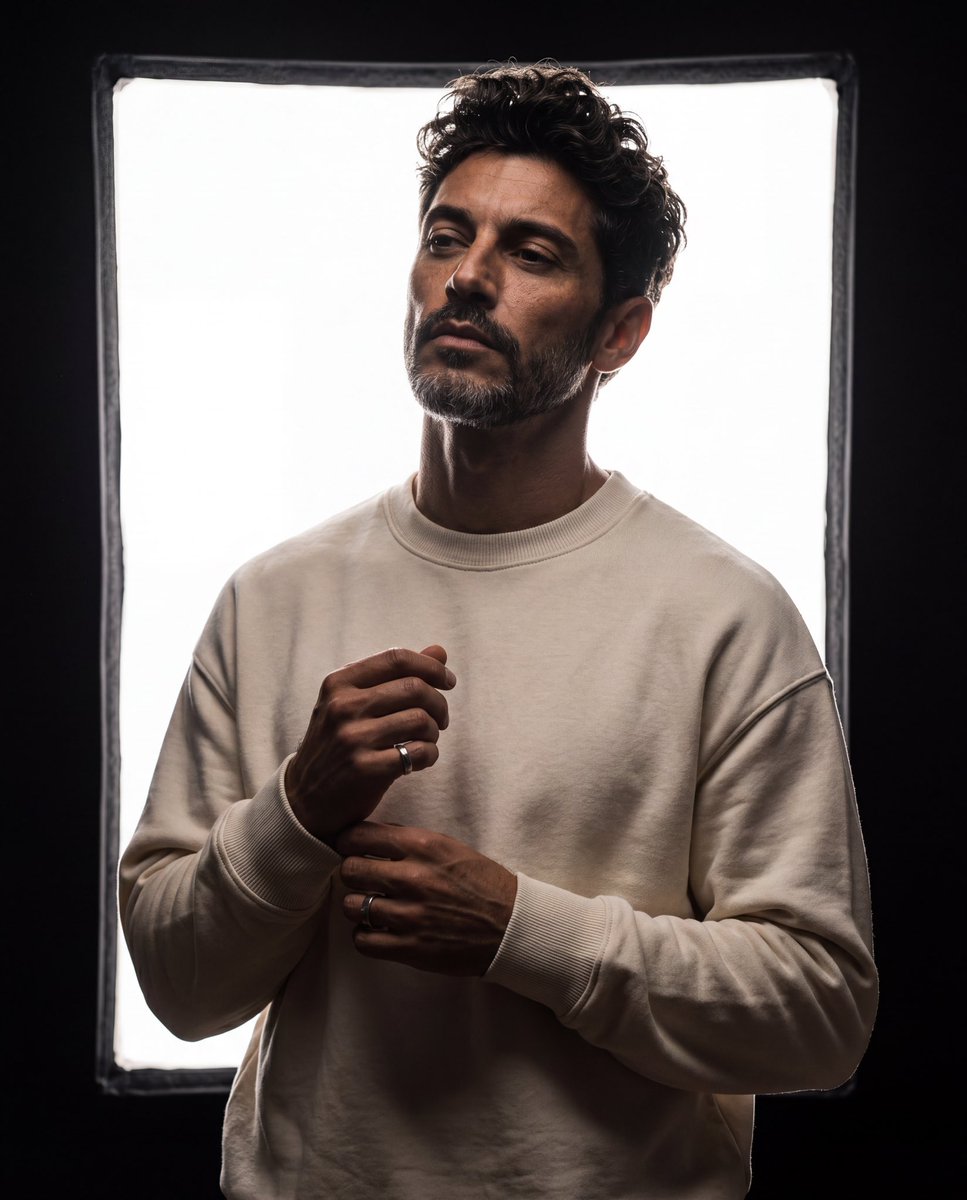
Cinematic Backlight Portrait Creation
Transform your images with this AI prompt designed to create ultra-realistic cinematic studio portraits. Using a reference image, the prompt seamlessly incorporates the subject while maintaining their unique facial features, hairstyle, and identity. Set against a dark studio backdrop, the glowing rectangular softbox creates dramatic backlighting that emphasizes the subject’s silhouette and adds depth to the scene. The pose captures a calm and confident expression, enhancing the portrait's allure. With a focus on luxurious minimalism, the outfit and lighting are tailored for a premium editorial feel, resulting in striking high-contrast visuals. Perfect for photographers looking to elevate their portfolio, this prompt allows for artistic expression while adhering to professional standards.
Tips
- Experiment with different text prompts to find the most engaging narrative for your video.
- Pay attention to lighting and composition when framing images for the best visual impact.
- Incorporate soundtracks or voiceovers to complement the visual aspects of your video.
Common mistakes
- Neglecting the importance of a strong narrative can lead to a disjointed video experience.
- Overlooking image quality can diminish the overall production value of the video.
- Failing to test different video formats may result in compatibility issues across platforms.
FAQ
What tools do I need to generate AI videos?
You'll need an AI video generation tool like Sora 2 and access to high-quality images for optimal results.
Can I use my own images for the video?
Yes, using your own images can provide a personalized touch and enhance the storytelling of your video.
How long does it take to create a video using this workflow?
The time varies based on the complexity of the prompts and the number of images used, but you can typically create a video in a few hours.