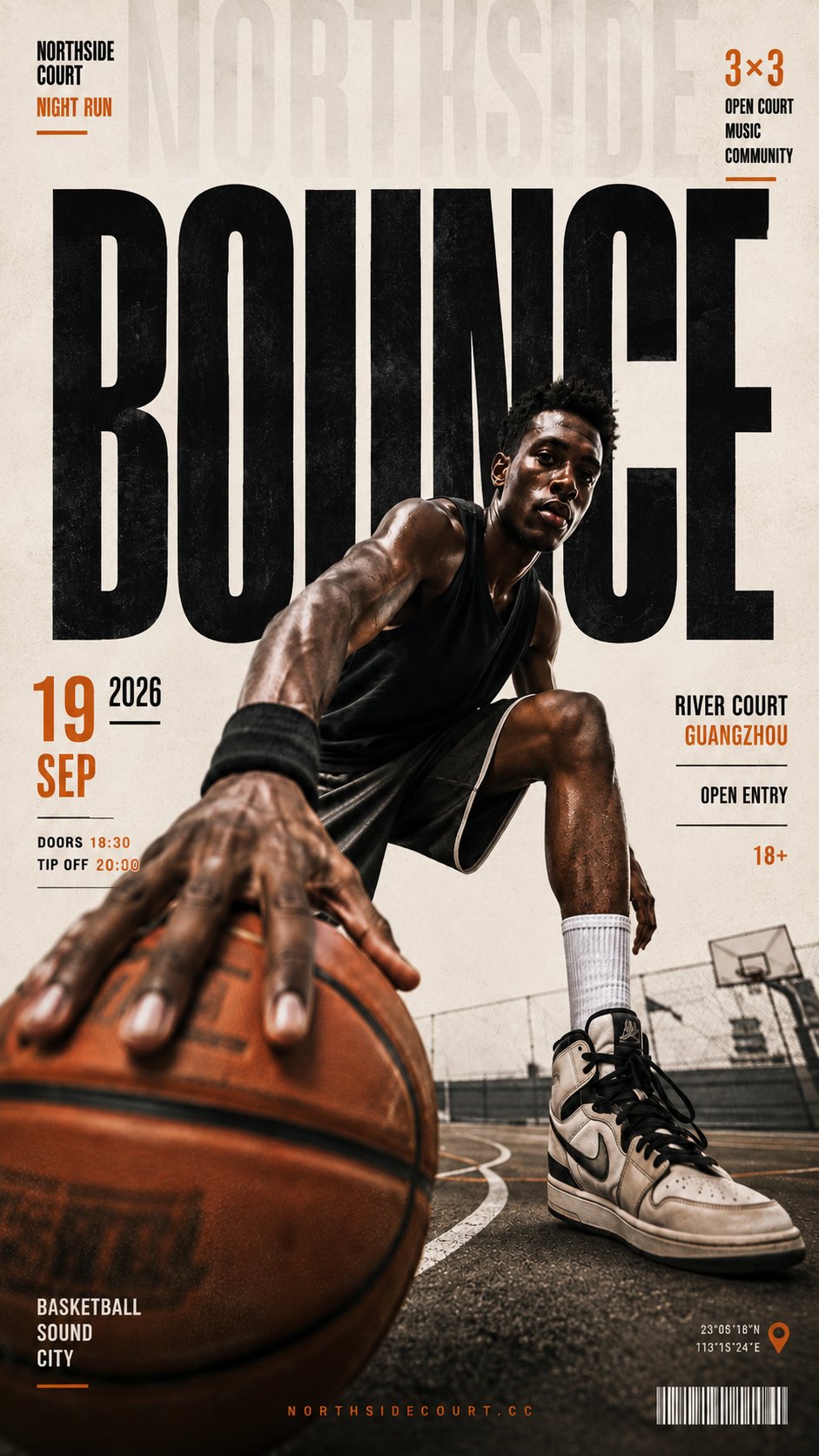
Dynamic Editorial Poster Design Prompt
This prompt is designed to create a striking editorial poster that captures attention through forced perspective and oversized typography. By positioning a realistic human subject near the center and using a dramatic low angle, the design highlights the foreground object, making it appear oversized. The prompt encourages the integration of bold headlines and event details within the layout, ensuring that all elements work harmoniously together. The use of a textured off-white background, along with a restrained color palette, allows the typography and subject to stand out, creating a contemporary feel that resonates with street culture, fashion campaigns, and sports events. This prompt is perfect for designers looking to elevate their poster design skills and produce impactful artwork that feels finished and polished.
Theme: [poster theme / event]
Headline: [one bold word, 4–8 letters]
Subject: [adult person + styling]
Foreground object: [basketball / camera / skateboard / racket / bike wheel / other object]
Event info: [date / venue / time / category / website]
Base colors: [background + main color]
Accent color: [one restrained accent]
Aspect ratio: 9:16
Create a bold editorial poster built around forced perspective, oversized typography, and a realistic human subject.
Place the subject near the center or slightly off-center, photographed from a dramatic low angle. Push the [foreground object] extremely close to the camera so it becomes oversized and creates a strong near-to-far depth relationship leading back toward the subject.
Use the [headline] as enormous condensed bold sans-serif typography across the upper and middle background. Let the person and foreground object naturally overlap and partially obscure the letters so the typography feels integrated into the physical space rather than placed behind the image.
Build three clear information scales:
1. Oversized headline
2. Medium event details
3. Small editorial information
Arrange the smaller information along the left, right, and bottom edges using a clean editorial grid. All text should feel relevant to the actual theme rather than random placeholder words.
Use a lightly textured off-white paper background with subtle print grain. Add very faint oversized secondary typography or minimal perspective lines in the background for depth, but keep them low contrast.
Keep the palette restrained: mostly [base colors] with only small amounts of [accent color]. Let the visual impact come from scale, perspective, typography, and overlap rather than excessive decoration.
The subject should look photographic and natural, with realistic skin, hair, clothing folds, and believable anatomy. Keep the foreground object structurally accurate and visually dominant.
Overall feel: contemporary editorial design, street culture, fashion campaign, sports culture, and independent event poster aesthetics.
The final result should feel like a finished poster artwork, not a design mockup or template.