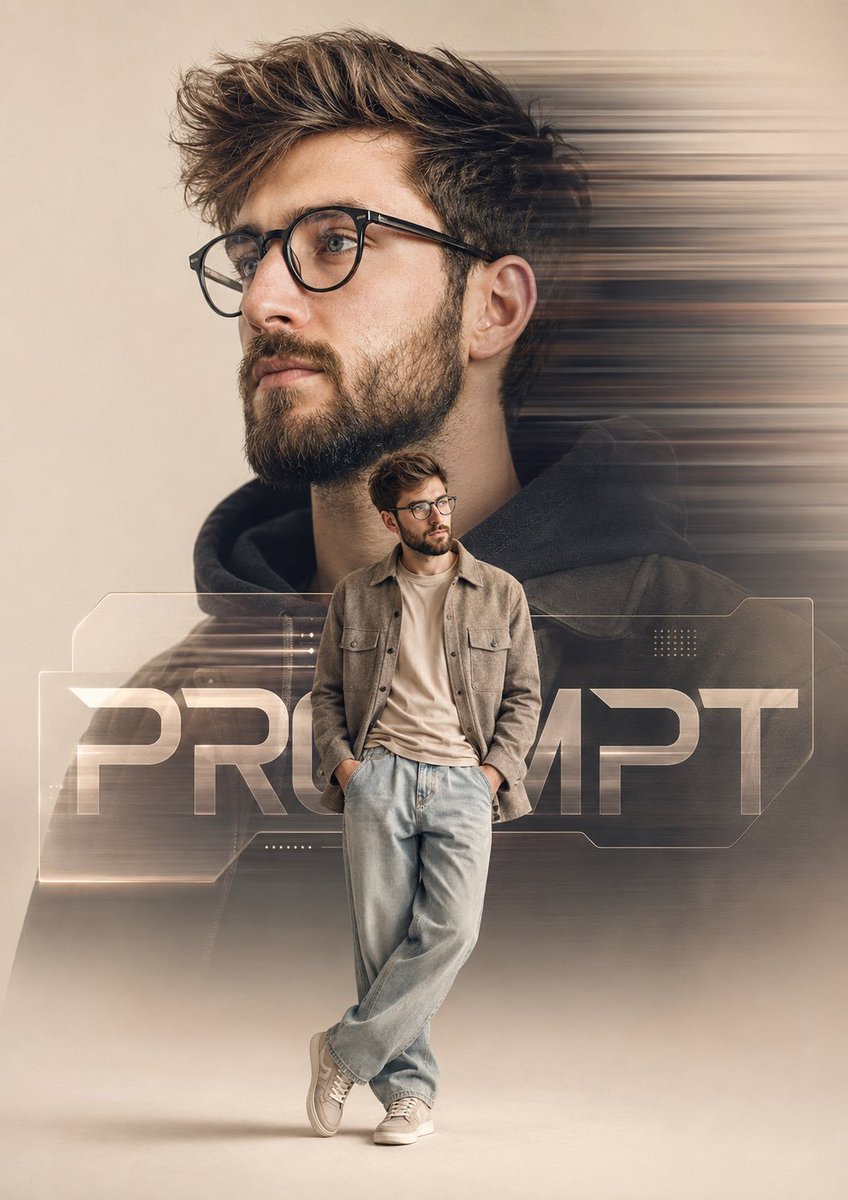
Cinematic Portrait Poster with Motion Blur Prompt
This prompt creates a stunning cinematic poster-style portrait that captures the essence of luxury and modern branding. By utilizing a clean beige studio environment, the prompt guides you to design a captivating image where a large side-profile portrait of the subject takes center stage. With dynamic motion blur streaks and stylish clothing that aligns with contemporary fashion, this prompt ensures your artwork stands out. The foreground features a full-body version of the subject, enhancing depth and intrigue, while bold typography integrates seamlessly into the design. Ideal for digital artists and photographers seeking to elevate their portfolio, this prompt is your key to creating high-end, visually striking images that showcase professional photography skills and modern aesthetics.
Create a premium cinematic poster-style portrait of the uploaded person in a clean beige studio environment, aspect ratio 4:5. The composition closely follows the reference design. A large side-profile portrait of the uploaded person dominates the background, occupying approximately 70-75% of the frame height, facing left with a calm, confident expression. Behind the large portrait, add strong horizontal motion blur streaks extending toward the right side, creating a dynamic sense of movement. In the foreground, place a smaller full-body version of the uploaded person standing in front of the larger portrait, occupying approximately 30-35% of the frame height. He is wearing stylish beige-tan casual clothing matching the reference aesthetic: a relaxed overshirt/jacket, light-wash loose-fit jeans, and casual sneakers. Add modern transparent eyeglasses. Both hands are casually tucked into his trouser pockets. His stance matches the reference exactly: one leg crossed naturally in front of the other, leaning slightly with a relaxed, confident posture. He is looking slightly toward the brand text area rather than directly at the camera. Place a large modern branding text element behind the foreground figure, partially obscured by his body, using the word "PROMPT" in bold futuristic typography. The text should feel integrated into the design, with subtle transparency and layered depth effects. Add minimal geometric UI-style design elements and soft translucent panels around the text area for a contemporary creative-director look. Soft editorial lighting, luxury fashion campaign aesthetic, high-end digital poster design, ultra-detailed facial features, sharp focus on the subject, subtle shadows beneath the standing figure, clean background, premium color grading, realistic textures, professional photography, modern creative branding artwork. No logos, no watermarks, no extra text except "PROMPT".