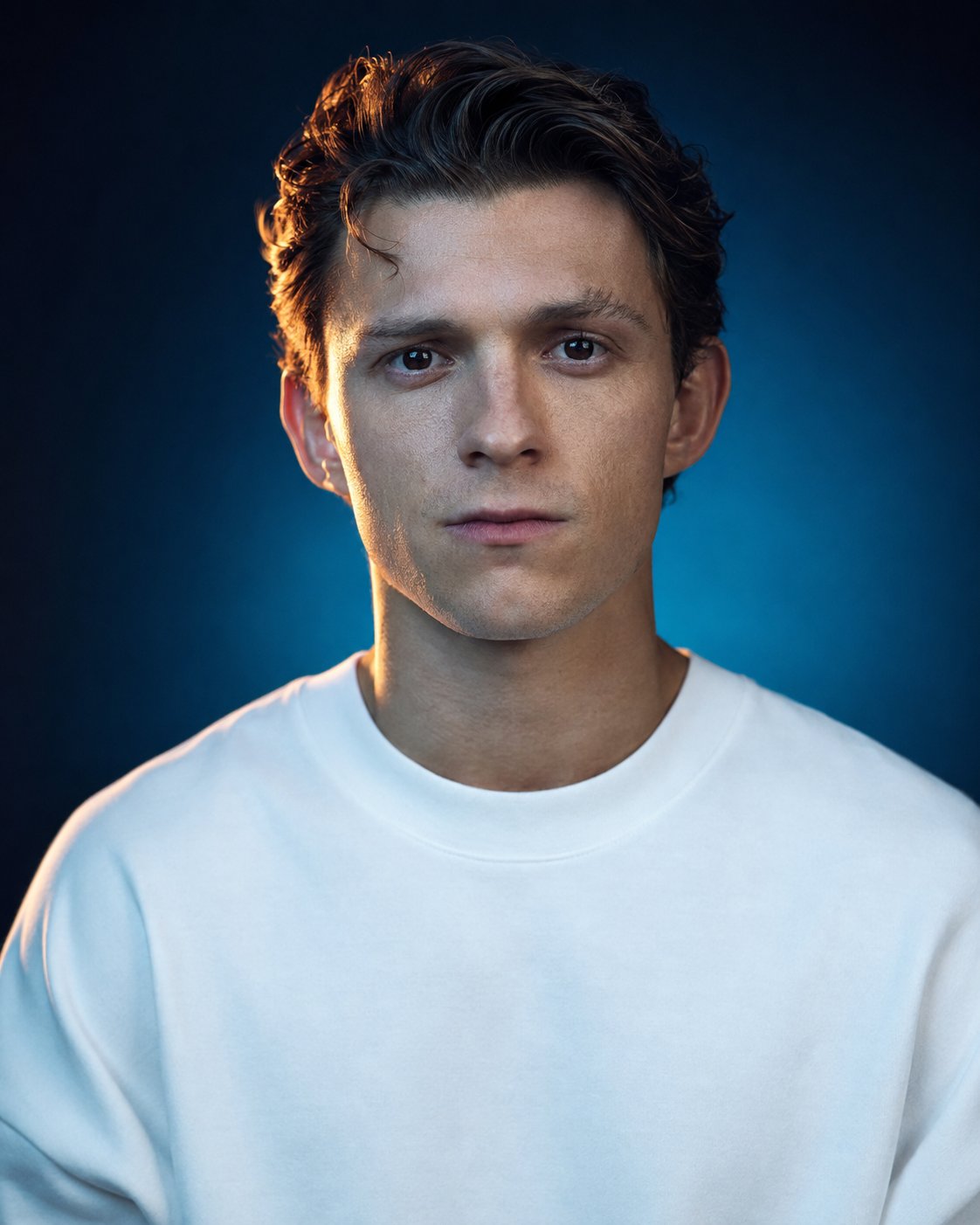
Create a hyperrealistic studio portrait photograph of [Person's Name/Uploaded Image], with double-tone cinematic lighting. Use a close-up portrait from the chest up, perfectly centered and symmetrical, in vertical format with a 4:5 aspect ratio. The subject should look directly at the camera, with the head facing forward and the chin level. The expression should be calm, neutral, and slightly serious, with the mouth closed, relaxed lips, and sharp, attentive, direct eyes. Dress the subject in a plain white round-neck t-shirt or oversized hoodie, with no logos or prints, in a loose and relaxed fit, and both shoulders fully visible. The garment should be pure white and appear slightly glossy under the fill light. Use a split double-tone lighting scheme: a warm amber/orange contour light coming from the left side of the camera, grazing one side of the face, neck, and shoulder, while a cool blue ambient light illuminates the rest of the face and body. Add a soft background glow in a gradient that blends with the ambient blue tone, with high contrast between the warm highlights and cold shadow areas. The lighting should have a soft studio diffusion, with a sharp light outline and no harsh shadows over the facial features. Use a seamless studio backdrop with a smooth gradient from deep navy blue to teal green, darker toward the edges, with subtle corner vignetting and no props, patterns, or visible texture. Photograph the subject with the look of an 85mm portrait-equivalent lens and a shallow depth of field similar to f/2.8, with perfectly sharp focus on the eyes and facial features. The image should have the feel of being taken with a medium-format digital camera, with ultra-high resolution and 8K-level detail. Preserve natural and realistic skin texture, with visible pores, subtle sheen from the lighting, and no excessive softening or plastic appearance. The hair should retain the subject's real hairstyle, natural texture, and volume, with individual strands visible under the contour light. Apply a cinematic color grade in teal and orange tones, with warm highlights, cool shadows, and filmic contrast. Use a professional retouching level with slight skin evenness, preserving natural imperfections, no beauty filter, and no artificial or plastic AI appearance. Do not include text, watermarks, extra objects, inserted images, reference photo overlays, multiple people, distorted facial features, blurry eyes, caricature or illustration style, or unnatural hard shadows. Generate the final image in high resolution with ultra-detailed 8K quality, in vertical 4:5 format, and with a level of photorealistic realism indistinguishable from a real studio photograph.