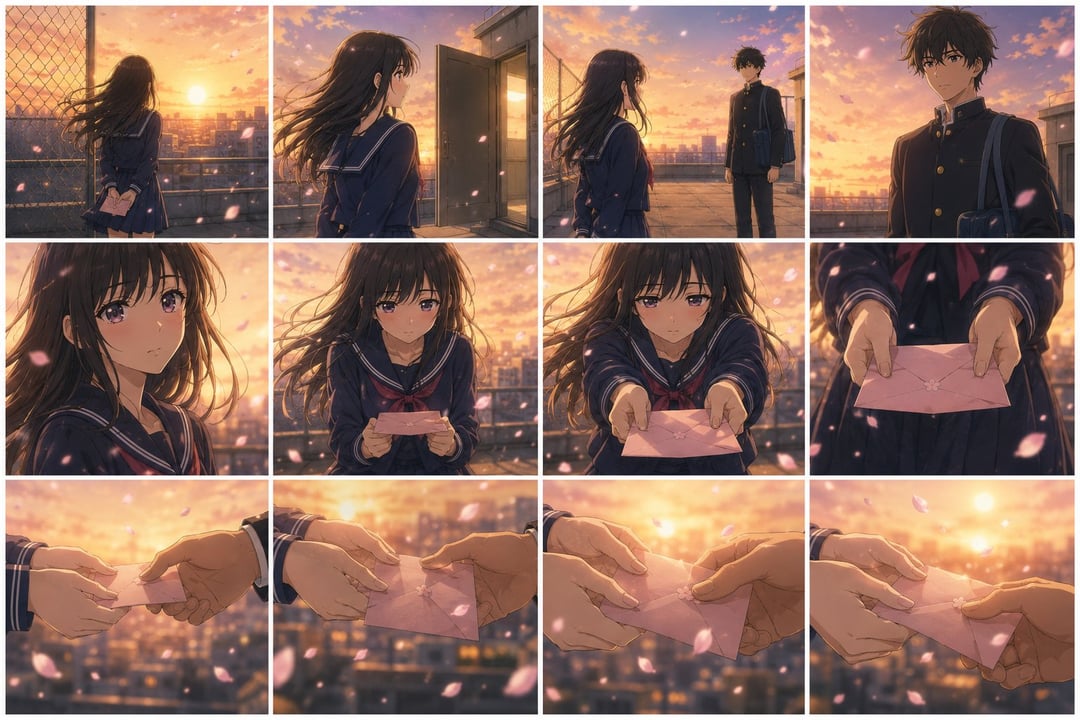
Storyboard Debugger for Video Prompts
This prompt leverages GPT Image 2.0 to create a comprehensive storyboard contact sheet from your video prompt, allowing for effective pre-visualization before generating the actual video. By breaking down the prompt into keyframes, it maintains continuity in character, wardrobe, props, and environments, while highlighting the main beats of the scene. This process helps identify and resolve potential issues such as unclear action flow, broken continuity, or overly complex scenes. The workflow is straightforward: write your video prompt, paste it into GPT Image 2.0, review the storyboard contact sheet, address any weak points, and then generate the final video. It's an essential tool for creators looking to streamline their video production and enhance their storytelling clarity.
urn the VIDEO PROMPT below into one finished storyboard contact sheet. Break the visible action into the appropriate number of keyframes automatically. Use fewer panels for simple scenes and more panels for complex action, prop continuity, transformations, multiple characters, or important reactions. Each panel must be a completed cinematic still from the same video world, not a rough sketch or written shot list. Rules: - Arrange panels in a clean adaptive grid, in chronological order from left to right and top to bottom. - The overall sheet can use any aspect ratio needed to keep all panels readable. - Preserve character identity, wardrobe, props, environment, lighting, style, screen direction, character count, and object continuity. - Each panel shows one clear visible moment only. For an action, choose the strongest readable frame, usually contact, impact, reaction, transformation result, or final position. - Do not invent new characters, props, actions, or locations. - Do not add captions, panel numbers, arrows, dialogue, subtitles, sound cues, camera notes, or explanatory text. VIDEO PROMPT: -Enter your video prompt here-